
LamboReads
A digital reading platform for discovering and reading books online, with user accounts, personalized reading features and a growing library of public-domain titles.
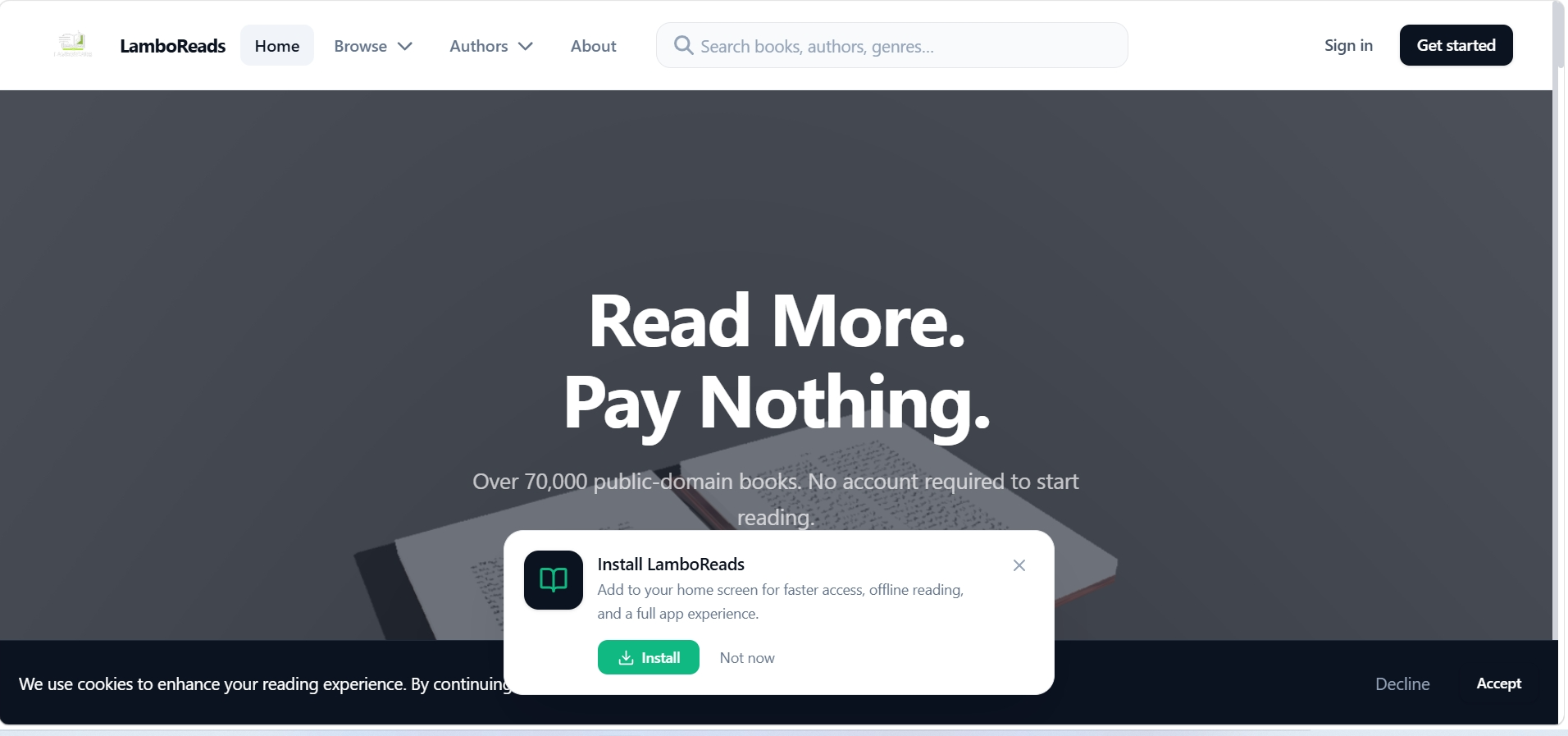
What I built
LamboReads is a digital reading platform that lets users discover books, read them in a clean browser-based reader, and track their reading progress over time. The platform focuses on public-domain literature — making classic and freely available books accessible in a modern, organized interface.
I designed and built the full application from the ground up: the book discovery experience, the reading interface, user authentication, reading progress persistence, bookmarks, notes, and the administrative tools for managing the library.
The goal was to create something that feels like a real product — not a template — with proper data architecture, authentication flows and a reading experience that works smoothly across devices.
The problem I was solving
Most free e-book platforms feel either outdated or cluttered. Project Gutenberg and similar archives have enormous libraries but interfaces that haven't kept up with modern expectations. Commercial reading apps require subscriptions and lock content behind paywalls.
I wanted to build something in between: a platform that surfaces public-domain books in a clean, contemporary interface — with the kind of UX you'd expect from a modern web application. Book discovery should feel intuitive. The reader should be distraction-free. And your progress, bookmarks and notes should persist so you can pick up where you left off.
The technical challenge was building a reading experience that handles variable content lengths (some books are 200 pages, some are 2,000), manages user state across sessions, and stays performant — all within a single web application.
How I built it
I chose a stack that would let me move quickly without sacrificing quality. Next.js gave me server-side rendering for the book pages and static generation for the discovery/catalogue pages. TypeScript caught type errors early and made the codebase more maintainable as it grew. Supabase handled authentication, the PostgreSQL database and file storage in one platform.
Frontend
Next.js with the App Router, TypeScript, and a component-based architecture. The reading interface uses a custom renderer that paginates content and tracks scroll position for progress persistence.
Database
Supabase PostgreSQL for all structured data: user accounts, book metadata, reading progress, bookmarks, notes and library collections. Row-level security policies ensure users can only access their own data.
Authentication
Supabase Auth with email/password sign-up and login. Session management is handled automatically, with protected routes that redirect unauthenticated users to the login page.
Storage
Supabase Storage for book cover images and content files. Public buckets serve static assets while authenticated endpoints handle user-generated content like notes and highlights.
What the application does
User Authentication
Secure sign-up and login with Supabase Auth. Each user has a private account with their own library, reading history and saved progress.
Book Discovery
Browse the library by category, search by title or author, and discover new reads through curated collections and featured titles.
Reading Progress
The reader tracks where you left off in every book. Progress is saved to your account automatically so you can switch devices and pick up seamlessly.
Bookmarks and Notes
Save your place with bookmarks and add personal notes to any passage. Your annotations are stored alongside your reading progress.
Personalized Library
Your reading history, saved books and current reads are organized in a personal library dashboard that gives you a clear overview of your activity.
Responsive Reader
The reading interface adapts to screen size — comfortable on desktop, tablet and phone. Typography scales appropriately and navigation stays accessible at every breakpoint.
Technical implementation
Building the reader
The reading experience is the core of the product. I built a custom content renderer that handles chapter navigation, text sizing, and progress tracking. The reader persists position data to Supabase on interval, so progress is always saved without requiring explicit user action.
Data architecture
The database schema separates book metadata from user-generated data. Books, chapters and categories live in shared tables. Reading progress, bookmarks and notes are per-user, enforced through Supabase row-level security policies that tie every row to an authenticated user ID.
Responsive interface
The layout uses CSS Grid and container queries to adapt across breakpoints. The catalogue uses a responsive grid that shifts from three columns on desktop to a single column on mobile. The reader itself adjusts font size, line height and margins based on viewport width.
Tech stack
Only technologies actually used in this project.
Takeaways from this project
Reading UX is harder than it looks
Building a reading interface that feels natural — with proper pagination, font scaling and progress tracking — required more iteration than expected. Small details like line height and margin ratios make a huge difference in readability.
Row-level security changes everything
Supabase's RLS policies let me enforce data access rules at the database level rather than relying solely on application logic. This made the backend significantly more secure with less code.
Separating content from user data
Designing the schema so book data and user data live in separate tables — connected through foreign keys but protected by different access policies — was the right architectural decision. It keeps the data model clean and scalable.
Want to build something similar?
If you have a project in mind, let's discuss what you want to build.